

Access Keys
In most blockchains, users control their accounts by holding a singleprivate key (a secret only they know) and using it to sign transactions.
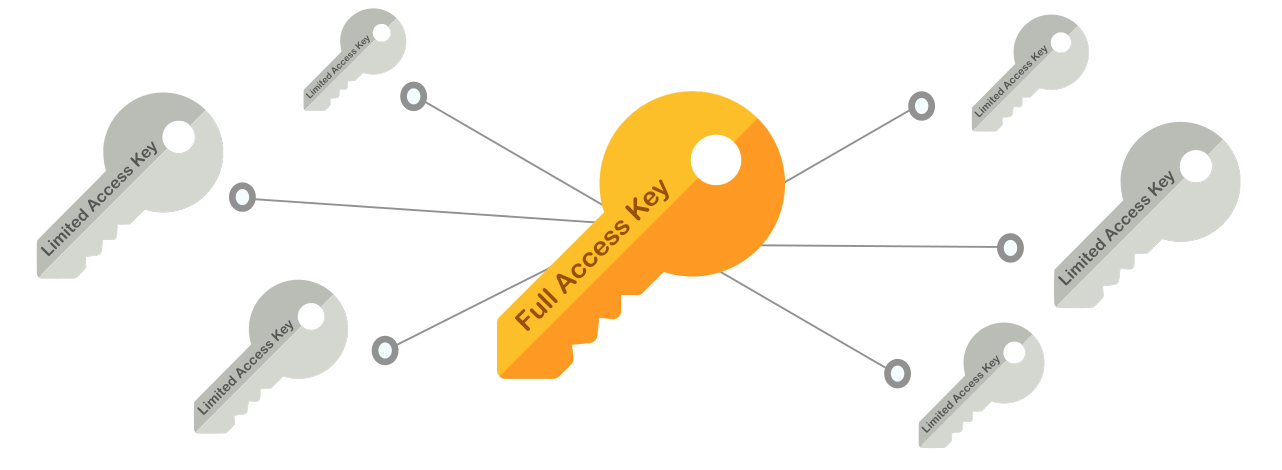
Full-Access Keys: Have full control over the account, and should never be sharedFunction-Call Keys: Can only sign calls for specific contracts, and are meant to be shared
Function-Call Keys
Function-Call keys can only sign transactions calling a specific contract, and do not allow to attach NEAR tokens to the call.
They are defined by three attributes:
receiver_id: The only contract which the key allows to call, no other contract can be called with this keymethod_names(Optional): The contract’s methods the key allows to call. If omitted, all contract’s methods can be calledallowance(Optional): The amount of NEAR allowed to be spent on gas. If omitted, the key can consume unlimited gas
Function Call Keys are meant to be shared with applications, so third-parties can make contract calls in your name. This is useful in multiple scenarios as we will see below.
Full-Access Keys
As the name suggests,Full-Access keys have full control of an account, meaning they can be used to sign transactions doing any action in your account’s behalf:
- Transfer NEAR Ⓝ
- Delete your account or create sub-accounts of it
- Add or remove Access Keys
- Deploy a smart contract in the account
- Call methods on any contract
Full-Access, otherwise you are giving total control over the account.
Signature Schemes
Independently of its permission level, every access key is a cryptographic key pair belonging to one of NEAR’s supported signature schemes. A public key is written as<scheme>:<base58-data>, where the prefix identifies the scheme — for example ed25519:CQLP1o1F3Jbdttek3GoRJYhzfT....
| Scheme | Public key prefix | Public key size | Quantum-resistant |
|---|---|---|---|
| Ed25519 | ed25519: | 32 bytes | No |
| secp256k1 | secp256k1: | 64 bytes | No |
| ML-DSA-65 | ml-dsa-65: | 1952 bytes | Yes |
ed25519 is the default scheme, used by most wallets and tooling and by NEAR implicit accounts. secp256k1 is used mainly for chain signatures and Ethereum-compatible flows. A single account can hold keys from different schemes at the same time.
Post-Quantum Keys (ML-DSA-65)
ml-dsa-65 is a post-quantum signature scheme, standardized by NIST as FIPS 204 (Module-Lattice-Based Digital Signature Algorithm, security category 3). Unlike ed25519 and secp256k1 — whose security a large enough quantum computer could break — ml-dsa-65 is designed to stay secure against quantum attacks, so an account protected by an ml-dsa-65 key cannot be taken over by forging its signature.
You add and use an ml-dsa-65 key exactly like any other key: it can be a full-access or a function-call key, and it signs transactions the same way.
Post-quantum keys are stored by hashAn
ml-dsa-65 public key is large — 1952 bytes, versus 32 for ed25519 — and its signatures are 3309 bytes. To keep accounts cheap to store, NEAR does not keep the full public key on-chain; instead it stores a 48-byte SHA3-384 hash of it, which keeps the per-key storage cost close to that of a classical key.ml-dsa-65 entries. When you query an account’s keys (for example with view_access_key_list), ml-dsa-65 keys appear with an ml-dsa-65-hash: prefix instead of ml-dsa-65::
view_access_key, pass the full ml-dsa-65: public key and the network hashes it for you.
Limited Access Key Caveats
Account with Only Function-Call Keys
If an account has no full-access keys and only function-call keys, it becomes effectively restricted:- It cannot transfer NEAR, delete itself, or manage its own keys
- It can only perform the specific contract calls defined by the key’s
receiver_idandmethod_names
Allowance Exhaustion
Theallowance field defines how much NEAR the key can spend on gas fees:
- If set to a specific amount and fully consumed → the key becomes unusable and no new transactions can be signed
- If set to
0or omitted → unlimited allowance (the key has no gas budget restriction)