> ## Documentation Index
> Fetch the complete documentation index at: https://neardocs-docs-post-quantum-access-keys.mintlify.site/llms.txt
> Use this file to discover all available pages before exploring further.
# Access Keys
> Learn about NEAR's access key system with Full-Access Keys for complete account control and Function-Call Keys for restricted, shareable permissions to specific contracts.
In NEAR, users control their accounts using access keys, which can be full-access keys or function-call keys. Full-access keys allow complete control over the account, while function-call keys restrict actions to specific contracts. This system enables secure sharing of permissions and simplifies user interactions with applications.
***
## Access Keys
In most blockchains, users control their accounts by holding a single [`private key`](https://en.wikipedia.org/wiki/Public-key_cryptography) (a secret only they know) and using it to sign [transactions](/protocol/transactions).
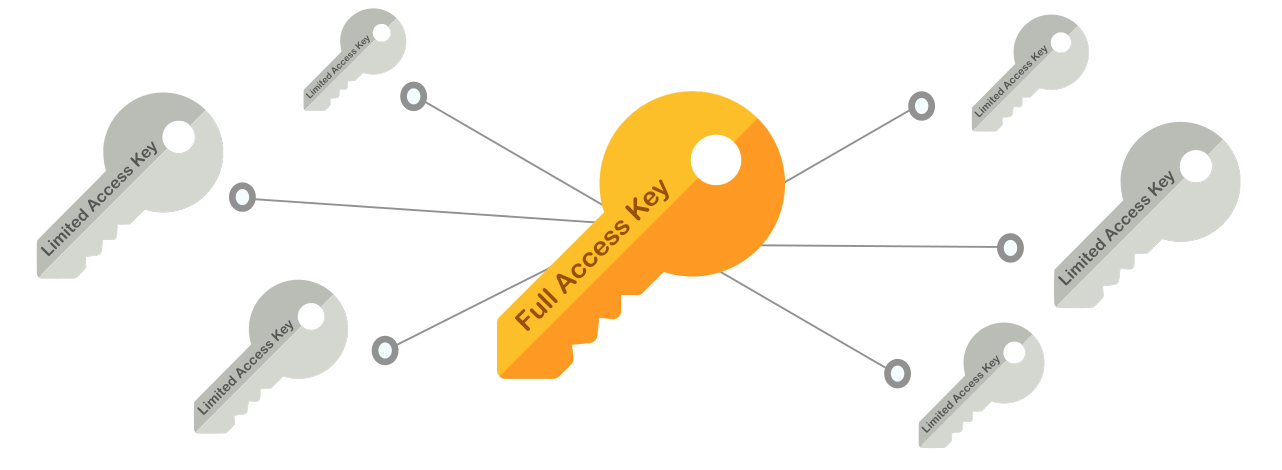 In NEAR we distinguish two types of Access Keys:
1. `Full-Access Keys`: Have full control over the account, and should **never be shared**
2. `Function-Call Keys`: Can only sign calls for specific contracts, and are **meant to be shared**
Every account in NEAR can hold **multiple keys**, and keys can be added or removed, allowing a
fine-grained control over the account's permissions.
***
## Function-Call Keys
`Function-Call` keys can only sign transactions calling a **specific contract**, and do **not allow** to **attach NEAR tokens** to the call.
They are defined by three attributes:
1. `receiver_id`: The **only contract** which the key allows to call, no other contract can be called with this key
2. `method_names` (Optional): The contract's **methods** the key allows to call. If omitted, all contract's methods can be called
3. `allowance` (Optional): The **amount of NEAR** allowed to be spent on [gas](/protocol/transactions/gas). If omitted, the key can consume **unlimited** gas
`Function Call Keys` are meant to be shared with applications, so third-parties can make contract calls in your name. This is useful in multiple scenarios as we will see below.
`Function-Call` keys are secure to share, as they only permit calls to a specific contract and prohibit NEAR token transfers
***
## Full-Access Keys
As the name suggests, `Full-Access` keys have full control of an account, meaning they can be used to sign [transactions](/protocol/transactions) doing any action in your account's behalf:
1. Transfer NEAR Ⓝ
2. Delete your account or create sub-accounts of it
3. Add or remove Access Keys
4. Deploy a smart contract in the account
5. Call methods on any contract
You should never share your `Full-Access`, otherwise you are giving **total control over the account**.
[Implicit accounts](./account-id#implicit-address) already have a `Full-Access Key` by default, while for [`named accounts`](./account-id#named-address) their first `Full-Access Key` is added on creation
***
## Signature Schemes
Independently of its permission level, every access key is a cryptographic key pair belonging to one of NEAR's supported **signature schemes**. A public key is written as `:`, where the prefix identifies the scheme — for example `ed25519:CQLP1o1F3Jbdttek3GoRJYhzfT...`.
| Scheme | Public key prefix | Public key size | Quantum-resistant |
| --------- | ----------------- | --------------- | ----------------- |
| Ed25519 | `ed25519:` | 32 bytes | No |
| secp256k1 | `secp256k1:` | 64 bytes | No |
| ML-DSA-65 | `ml-dsa-65:` | 1952 bytes | Yes |
`ed25519` is the default scheme, used by most wallets and tooling and by NEAR [implicit accounts](./account-id#implicit-address). `secp256k1` is used mainly for [chain signatures](/chain-abstraction/chain-signatures) and Ethereum-compatible flows. A single account can hold keys from different schemes at the same time.
### Post-Quantum Keys (ML-DSA-65)
`ml-dsa-65` is a **post-quantum** signature scheme, standardized by NIST as [FIPS 204](https://csrc.nist.gov/pubs/fips/204/final) (Module-Lattice-Based Digital Signature Algorithm, security category 3). Unlike `ed25519` and `secp256k1` — whose security a large enough quantum computer could break — `ml-dsa-65` is designed to stay secure against quantum attacks, so an account protected by an `ml-dsa-65` key cannot be taken over by forging its signature.
You add and use an `ml-dsa-65` key exactly like any other key: it can be a [full-access](#full-access-keys) or a [function-call](#function-call-keys) key, and it signs transactions the same way.
**Post-quantum keys are stored by hash**
An `ml-dsa-65` public key is large — **1952 bytes**, versus 32 for `ed25519` — and its signatures are **3309 bytes**. To keep accounts cheap to store, NEAR does **not** keep the full public key on-chain; instead it stores a 32-byte [SHA3-256](https://en.wikipedia.org/wiki/SHA-3) hash of it — the same size as an `ed25519` public key — which keeps the per-key [storage cost](/protocol/storage/storage-staking) close to that of a classical key.
Because only the hash is stored, listing an account's keys returns the **hash**, not the full key, for `ml-dsa-65` entries. When you query an account's keys (for example with [`view_access_key_list`](/api/rpc/contracts#view-access-key-list)), `ml-dsa-65` keys appear with an `ml-dsa-65-hash:` prefix instead of `ml-dsa-65:`:
```
ml-dsa-65-hash:7Xx2X... # base58-encoded 32-byte SHA3-256 digest
```
To recognize one of your own post-quantum keys in such a list, derive the same handle from your public key: it is the [SHA3-256](https://en.wikipedia.org/wiki/SHA-3) hash of the domain-separation tag `near:ml-dsa-65-pubkey-hash:v1` **followed by** the raw 1952-byte public key. Hashing the key without that prefix will not match the returned value. To look up a specific key directly with [`view_access_key`](/api/rpc/contracts#view-access-key), pass the **full** `ml-dsa-65:` public key and the network hashes it for you.
You can create and manage `ml-dsa-65` keys today with the [NEAR CLI](/tools/cli#keys), and from your app with the [`near-kit`](/tools/near-api#post-quantum-keys-ml-dsa-65) (TypeScript) and [`near-kit-rs`](https://github.com/r-near/near-kit-rs) (Rust) libraries. Contracts can add them via [`near-sdk-rs`](/smart-contracts/anatomy/actions) with no code changes.
Post-quantum support currently covers **transaction signing and access keys**. Validator (staking) keys, block production, and [implicit account](./account-id#implicit-address) addresses continue to use `ed25519`.
***
## Limited Access Key Caveats
### Account with Only Function-Call Keys
If an account has **no full-access keys** and only function-call keys, it becomes effectively restricted:
* It **cannot** transfer NEAR, delete itself, or manage its own keys
* It can **only** perform the specific contract calls defined by the key's `receiver_id` and `method_names`
This is useful for creating restricted sub-accounts (e.g. for [chain signatures](../../chain-abstraction/chain-signatures)), but be aware the account cannot be recovered or reconfigured through standard transactions.
Creating a sub-account with only a single function-call key means that account will **never** be able to remove itself, transfer NEAR out, or add new keys — unless the target contract provides a method to do so.
### Allowance Exhaustion
The `allowance` field defines how much NEAR the key can spend on gas fees:
* If set to a specific amount and fully consumed → the key becomes **unusable** and no new transactions can be signed
* If set to `0` or omitted → **unlimited** allowance (the key has no gas budget restriction)
If an account has only function-call keys and the allowance runs out, the account is permanently locked from initiating any transaction. Either use unlimited allowance (`0`) or ensure the account is topped up with NEAR before the allowance is exhausted.
***
## Locked Accounts
If you remove all keys from an account, then the account will become **locked**, meaning that no external actor can perform transactions in the
account's name.
In practice, this means that only the account's smart contract can transfer assets, create sub-accounts, or update its code.
Locking an account is very useful when one wants to deploy a contract, and let the community be assured that only the contract is in control of the account.
An account could still add keys to itself through a smart contract, effectively allowing the contract to unlock the account. Notice that this can only be done if the contract is deployed before the account is locked
In NEAR we distinguish two types of Access Keys:
1. `Full-Access Keys`: Have full control over the account, and should **never be shared**
2. `Function-Call Keys`: Can only sign calls for specific contracts, and are **meant to be shared**
Every account in NEAR can hold **multiple keys**, and keys can be added or removed, allowing a
fine-grained control over the account's permissions.
***
## Function-Call Keys
`Function-Call` keys can only sign transactions calling a **specific contract**, and do **not allow** to **attach NEAR tokens** to the call.
They are defined by three attributes:
1. `receiver_id`: The **only contract** which the key allows to call, no other contract can be called with this key
2. `method_names` (Optional): The contract's **methods** the key allows to call. If omitted, all contract's methods can be called
3. `allowance` (Optional): The **amount of NEAR** allowed to be spent on [gas](/protocol/transactions/gas). If omitted, the key can consume **unlimited** gas
`Function Call Keys` are meant to be shared with applications, so third-parties can make contract calls in your name. This is useful in multiple scenarios as we will see below.
`Function-Call` keys are secure to share, as they only permit calls to a specific contract and prohibit NEAR token transfers
***
## Full-Access Keys
As the name suggests, `Full-Access` keys have full control of an account, meaning they can be used to sign [transactions](/protocol/transactions) doing any action in your account's behalf:
1. Transfer NEAR Ⓝ
2. Delete your account or create sub-accounts of it
3. Add or remove Access Keys
4. Deploy a smart contract in the account
5. Call methods on any contract
You should never share your `Full-Access`, otherwise you are giving **total control over the account**.
[Implicit accounts](./account-id#implicit-address) already have a `Full-Access Key` by default, while for [`named accounts`](./account-id#named-address) their first `Full-Access Key` is added on creation
***
## Signature Schemes
Independently of its permission level, every access key is a cryptographic key pair belonging to one of NEAR's supported **signature schemes**. A public key is written as `:`, where the prefix identifies the scheme — for example `ed25519:CQLP1o1F3Jbdttek3GoRJYhzfT...`.
| Scheme | Public key prefix | Public key size | Quantum-resistant |
| --------- | ----------------- | --------------- | ----------------- |
| Ed25519 | `ed25519:` | 32 bytes | No |
| secp256k1 | `secp256k1:` | 64 bytes | No |
| ML-DSA-65 | `ml-dsa-65:` | 1952 bytes | Yes |
`ed25519` is the default scheme, used by most wallets and tooling and by NEAR [implicit accounts](./account-id#implicit-address). `secp256k1` is used mainly for [chain signatures](/chain-abstraction/chain-signatures) and Ethereum-compatible flows. A single account can hold keys from different schemes at the same time.
### Post-Quantum Keys (ML-DSA-65)
`ml-dsa-65` is a **post-quantum** signature scheme, standardized by NIST as [FIPS 204](https://csrc.nist.gov/pubs/fips/204/final) (Module-Lattice-Based Digital Signature Algorithm, security category 3). Unlike `ed25519` and `secp256k1` — whose security a large enough quantum computer could break — `ml-dsa-65` is designed to stay secure against quantum attacks, so an account protected by an `ml-dsa-65` key cannot be taken over by forging its signature.
You add and use an `ml-dsa-65` key exactly like any other key: it can be a [full-access](#full-access-keys) or a [function-call](#function-call-keys) key, and it signs transactions the same way.
**Post-quantum keys are stored by hash**
An `ml-dsa-65` public key is large — **1952 bytes**, versus 32 for `ed25519` — and its signatures are **3309 bytes**. To keep accounts cheap to store, NEAR does **not** keep the full public key on-chain; instead it stores a 32-byte [SHA3-256](https://en.wikipedia.org/wiki/SHA-3) hash of it — the same size as an `ed25519` public key — which keeps the per-key [storage cost](/protocol/storage/storage-staking) close to that of a classical key.
Because only the hash is stored, listing an account's keys returns the **hash**, not the full key, for `ml-dsa-65` entries. When you query an account's keys (for example with [`view_access_key_list`](/api/rpc/contracts#view-access-key-list)), `ml-dsa-65` keys appear with an `ml-dsa-65-hash:` prefix instead of `ml-dsa-65:`:
```
ml-dsa-65-hash:7Xx2X... # base58-encoded 32-byte SHA3-256 digest
```
To recognize one of your own post-quantum keys in such a list, derive the same handle from your public key: it is the [SHA3-256](https://en.wikipedia.org/wiki/SHA-3) hash of the domain-separation tag `near:ml-dsa-65-pubkey-hash:v1` **followed by** the raw 1952-byte public key. Hashing the key without that prefix will not match the returned value. To look up a specific key directly with [`view_access_key`](/api/rpc/contracts#view-access-key), pass the **full** `ml-dsa-65:` public key and the network hashes it for you.
You can create and manage `ml-dsa-65` keys today with the [NEAR CLI](/tools/cli#keys), and from your app with the [`near-kit`](/tools/near-api#post-quantum-keys-ml-dsa-65) (TypeScript) and [`near-kit-rs`](https://github.com/r-near/near-kit-rs) (Rust) libraries. Contracts can add them via [`near-sdk-rs`](/smart-contracts/anatomy/actions) with no code changes.
Post-quantum support currently covers **transaction signing and access keys**. Validator (staking) keys, block production, and [implicit account](./account-id#implicit-address) addresses continue to use `ed25519`.
***
## Limited Access Key Caveats
### Account with Only Function-Call Keys
If an account has **no full-access keys** and only function-call keys, it becomes effectively restricted:
* It **cannot** transfer NEAR, delete itself, or manage its own keys
* It can **only** perform the specific contract calls defined by the key's `receiver_id` and `method_names`
This is useful for creating restricted sub-accounts (e.g. for [chain signatures](../../chain-abstraction/chain-signatures)), but be aware the account cannot be recovered or reconfigured through standard transactions.
Creating a sub-account with only a single function-call key means that account will **never** be able to remove itself, transfer NEAR out, or add new keys — unless the target contract provides a method to do so.
### Allowance Exhaustion
The `allowance` field defines how much NEAR the key can spend on gas fees:
* If set to a specific amount and fully consumed → the key becomes **unusable** and no new transactions can be signed
* If set to `0` or omitted → **unlimited** allowance (the key has no gas budget restriction)
If an account has only function-call keys and the allowance runs out, the account is permanently locked from initiating any transaction. Either use unlimited allowance (`0`) or ensure the account is topped up with NEAR before the allowance is exhausted.
***
## Locked Accounts
If you remove all keys from an account, then the account will become **locked**, meaning that no external actor can perform transactions in the
account's name.
In practice, this means that only the account's smart contract can transfer assets, create sub-accounts, or update its code.
Locking an account is very useful when one wants to deploy a contract, and let the community be assured that only the contract is in control of the account.
An account could still add keys to itself through a smart contract, effectively allowing the contract to unlock the account. Notice that this can only be done if the contract is deployed before the account is locked